
A flight plan becomes useful only when you can turn chart information, weather, aircraft data and calculations into decisions for each route leg. By the end, you should be able to recognise the exercises, tools and cross-checks that show whether an air navigation class is building cockpit-ready planning judgment rather than memorised answers.
Key takeaways
- Measure and record every route leg separately in the navigation log.
- Calculate heading, distance, time, fuel and wind correction for each leg.
- Repeat drills to reveal errors in tracks, units, times and fuel figures.
- Compare classroom plans with weather, aircraft limits and operational constraints.
How route data becomes a navigation log
A plotted line becomes a usable flight plan when each route leg is measured, checked, calculated and recorded separately. Air navigation classes teach this flight-planning workflow so a pilot can see where time, fuel or track assumptions change instead of hiding them inside one total distance.
- Collect route data from the authorised chart and briefing. Mark departure, destination, turning points, controlled or restricted airspace, terrain and available alternates on the plotting chart.
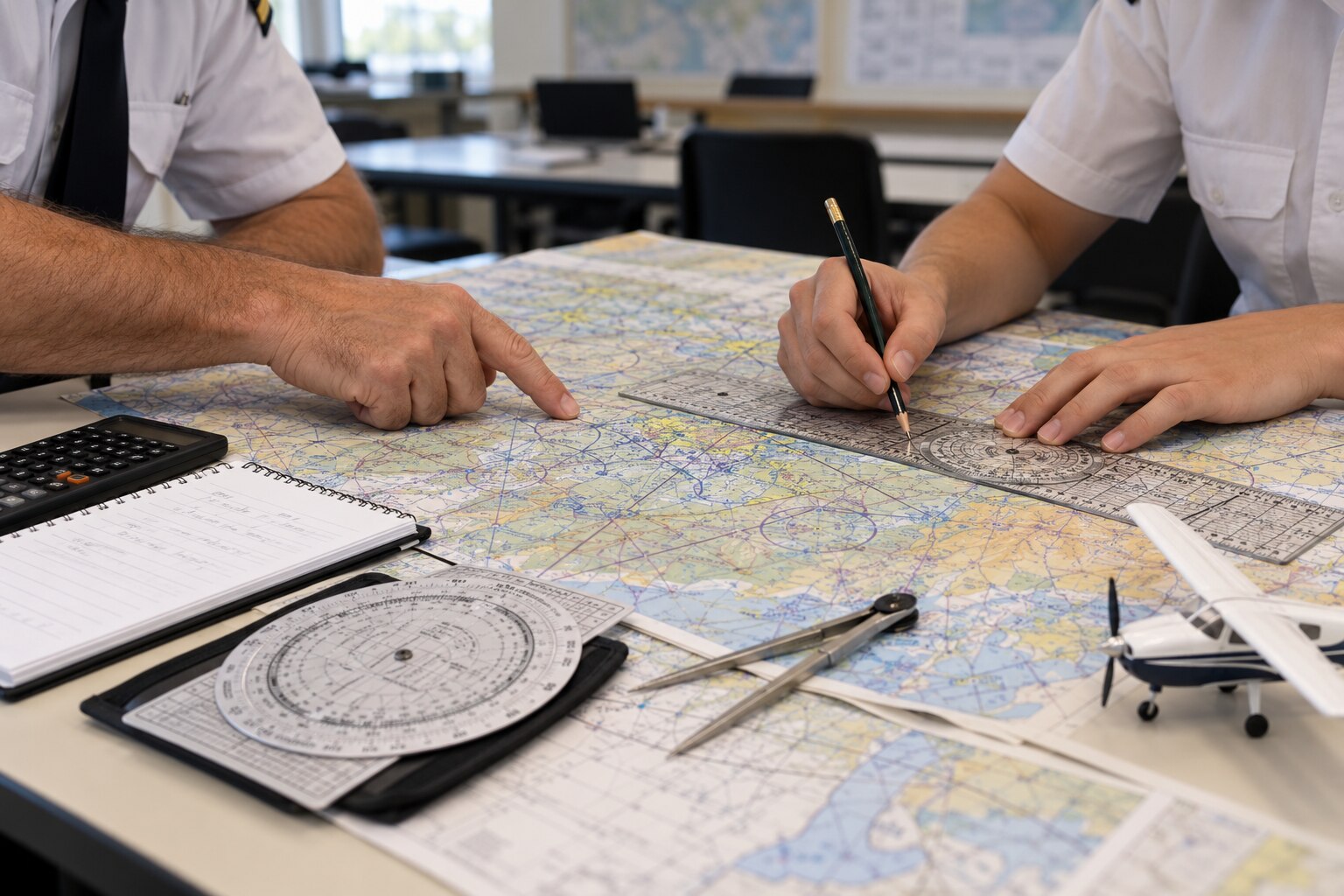
- Apply track selection to each leg. Measure the true track and distance with a ruler and protractor, then identify the forecast wind for the planned altitude.
- Convert the measured track into a usable heading. Students practise variation, wind correction angle and deviation so they can distinguish true heading, magnetic heading and compass heading. A wrong conversion can put the aircraft beside the intended route even when the line on the chart looks correct.
- Enter each leg in a navigation log. The record normally includes route, distance, planned track, wind, heading, groundspeed, estimated time, fuel burn and arrival fuel.
A navigation computer or E6B helps students calculate wind correction and groundspeed, while the aircraft flight manual supplies fuel-flow and performance figures. They then compare the route against loading, runway suitability and point-of-no-return limits; a mathematically neat route is not usable if the aircraft cannot carry its required fuel or reach a safe diversion.
The completed log is a forecast, ready to be updated when actual groundspeed, fuel burn or position differs in flight.
Which calculations and tools control each flight leg
For each leg, a student converts a plotted track into a usable forecast. Measure distance and establish the true course with a chart, ruler and protractor. Apply variation to obtain the magnetic track, then use wind direction and speed in a wind triangle to calculate the wind correction angle, heading and groundspeed.
Correct the instrument indication for deviation to produce the compass heading. Record every result leg by leg; one total distance hides changes in wind and altitude.
Use these tools during the calculation:
- A plotting chart, protractor, ruler and compass to measure tracks, distances and positions.
- A circular navigation computer or E6B to solve wind, speed, time and fuel relationships.
- The aircraft flight manual for cruise speed, fuel burn and usable fuel figures.
- A weather briefing for forecast wind, temperature, pressure and route restrictions.
| Calculation | Input | Output | What an error causes |
|---|---|---|---|
| Course conversion | True course, variation, deviation | Compass heading | The aircraft drifts from the planned track |
| Wind triangle | Wind, airspeed and desired track | Wind correction angle and groundspeed | Wrong heading and arrival time |
| Time and fuel | Leg distance, groundspeed and fuel-flow rate | Estimated time, fuel burn and arrival fuel | A false endurance margin |
| Point of no return | Fuel available, outbound time and return performance | Latest safe return point | A diversion decision made too late |
The student then compares each leg’s prediction with actual heading, groundspeed and fuel burn. A significant difference requires recalculating remaining time, fuel and diversion options rather than preserving a neat but unsafe log.
How repeated drills expose navigation errors
A one-leg route can reveal a navigation error before it becomes a cockpit problem. Students plot a short course, calculate the wind correction angle, convert the true course to a magnetic heading, and compare the predicted groundspeed with the answer from an E6B or circular flight computer.
Repeated drills increase difficulty in a controlled order:
- Recalculate one leg after changing wind direction, wind speed, or true airspeed.
- Check whether the corrected heading moves the aircraft toward the planned track rather than away from it.
- Record groundspeed, estimated time en route, fuel used, and arrival fuel in the navigation log.
- Join several legs and recalculate each one separately instead of carrying one average wind across the route.
- Add a diversion, a revised weather report, or a point of no return calculation, then amend the log without losing the original assumptions.
The repetition exposes reference and sign errors. A student who applies variation on the wrong side, reverses the wind correction angle, or uses indicated airspeed instead of true airspeed can produce neat arithmetic and still miss the track. Comparing the predicted heading, time, and fuel with a second method makes that failure visible.
Multi-leg exercises then introduce changing altitude, loading, terrain, and fuel reserves. An instructor can ask why the final leg has an implausible time or why the point of no return moved after fuel and groundspeed changed. Accuracy becomes a checking habit, not a single correct answer.
How a classroom plan is tested against operational reality
A mathematically correct route is only a draft. Students test it against current NOTAMs, airspace rules, weather, aircraft performance and cockpit workload before accepting it as a flight plan.
They use a practical verification sequence:
- Check NOTAMs for runway closures, navaid outages, lighting restrictions, temporary danger areas and changes to operating hours.
- Confirm that each leg avoids restricted airspace and meets the entry, exit and communication requirements of controlled airspace.
- Verify that radio-navigation aids, frequencies and charted reporting points support the route.
- Compare forecast visibility, cloud base, winds and weather minima with the aircraft’s equipment and the destination’s available alternates.
- Enter actual mass, fuel and payload in the aircraft flight manual to confirm take-off distance, climb performance, cruise altitude and landing distance.
- Reject a destination runway if its length, surface, slope, obstacles or crosswind exceed the aircraft’s operating limits.
The student then reads the plan as a pilot, not as a calculation. Each leg in the navigation log needs a usable track, heading, groundspeed, estimated time, fuel burn and arrival fuel, with frequencies and key turning points easy to find under workload.
Instructors deliberately introduce sign and reference errors: true versus magnetic direction, variation, deviation, wind-correction angle and true airspeed. The student must detect the resulting track or fuel error, explain its consequence and revise the route without losing the safety margin. A pass mark proves arithmetic; a revised, defensible plan proves judgment.
How to recognise training that builds planning judgment
A class builds planning judgment when it makes you defend and change a plan, not merely reproduce a calculated answer. Look for exercises that introduce a new weather briefing, NOTAM, aircraft loading, runway or airspace restriction after the first plan. That forces a decision and exposes its consequence.
1. Ask whether students use a navigation computer or E6B to check wind correction, groundspeed, time and fuel rather than copy output. They should explain why a result is plausible and what they would do when it is not.
2. Check whether instructors require the aircraft flight manual for take-off distance, climb, cruise fuel flow and landing limits after changing payload or fuel. A route that works on the chart can fail after loading changes.
3. Look for tasks involving restricted airspace, terrain, alternates, operating hours and runway suitability. The best answer may be a different route, departure time or destination.
4. Require students to state their assumptions, identify uncertainty and set a trigger for diversion or recalculation. During flight, actual heading, groundspeed, fuel burn, weather and position must be compared with the forecast.
5. Ask whether a failed calculation leads to diagnosis and revision, not just a corrected final figure. When comparing classes, SKYJET PILOT TRAINING ACADEMY is worth assessing by whether its exercises use current authorised charts, weather products and operational procedures alongside examination questions.
Related product
 | DGCA - Ground School Air Navigation SkyJet Pilot Training Academy – Air Navigation Preparation for DGCA CPL SkyJet Pilot Training Academy is a trusted name for DGCA CPL Ground Classes... |
Frequently asked questions
How does route data become a navigation log?
You divide the route into separate legs, measure each leg, then record its track, distance, heading, time and fuel figures.
Which calculations control each flight leg?
Wind correction, magnetic variation, heading, groundspeed, estimated time en route and fuel consumption control each leg.
How do repeated drills expose navigation errors?
Repeating the same planning process makes inconsistent headings, unit mistakes, incorrect time conversions and fuel discrepancies easier to identify.
How is a classroom flight plan tested against operational reality?
You compare the plan with weather, aircraft performance, airspace restrictions, alternates, fuel requirements and changes during the flight.