A simulator can let you repeat an ILS approach, engine failure or radio procedure without risking an aircraft, but its value depends on the device, instructor and exercise design. By the end, you will know which skills simulation develops best, where real flying remains essential and how to judge simulator hours in a DGCA CPL pathway.
Key takeaways
- Check the simulator’s device category before counting its training value.
- Use simulation to practise procedures, decisions, instrument flying, and emergencies.
- Do not treat simulator performance as a substitute for takeoffs, landings, or aircraft handling.
- Compare simulator hours with the specific DGCA credit allowed for your training plan.
What Counts as a Flight Simulator?
“Simulator” is an umbrella term, not a guarantee of capability or licence credit. Flight simulator training can use devices ranging from a computer-based procedure trainer to a motion-equipped cockpit that reproduces an aircraft in detail.
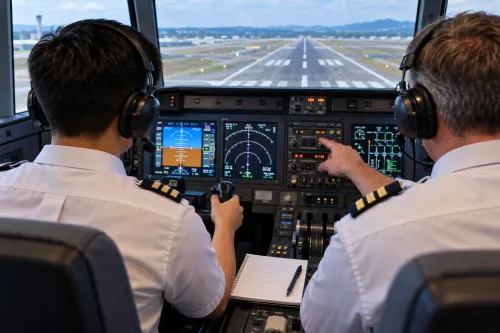
1. A full-flight simulator, or FFS, reproduces the aircraft cockpit, controls, flight model, displays, sounds, systems and external visual scene. It also provides motion cues. Its qualification is separate from its marketing name.
2. A flight training device, or FTD, usually replicates a specific aircraft’s cockpit, controls, instruments and systems with a defined flight model. It may have a visual system and limited or no motion, depending on its qualification.
3. An aviation training device, or ATD, is a simpler approved training platform for specified aircraft or instrument tasks. A fixed-base trainer has no motion platform but may contain a highly realistic cockpit and systems model.
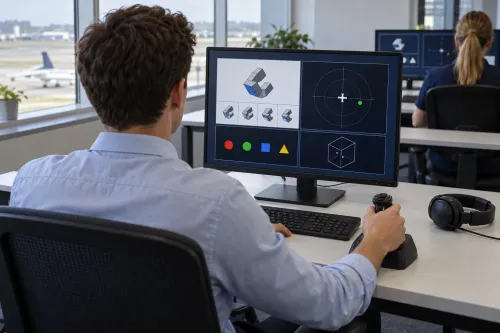
4. A desktop or procedural trainer uses screens and physical or virtual controls to practise flows, checklists, navigation or instrument procedures. It does not automatically provide the handling fidelity of an FTD or FFS.
Before treating hours as training credit, ask for four documents or answers:
- The device’s regulatory qualification.
- The instructor’s authorisation.
- The approved training objective.
- The DGCA rule and training-organisation syllabus that permit any credit.
A provider’s “simulator” label alone proves none of these. Motion, visuals and cockpit detail matter, but the approved device category and training purpose determine the value of the session.
Which Pilot Skills Improve Through Simulation?
Repeated instrument work makes attitude-and-power control more precise when the runway, horizon and outside visual references disappear. You can observe instrument scanning, cross-checking, heading and altitude control, navigation training, radio communication and workload management rather than simply ask whether the aircraft reached the next waypoint.
| Practice | Observable competency | What the instructor can assess |
|---|---|---|
| Instrument and navigation exercises | Stable control and route management | Attitude-and-power control, scan discipline, navigation setup, radio sequencing and accurate readbacks |
| Changing aircraft states | Procedural consistency | Checklist use, automation selection, monitoring, diagnosis and prioritisation |
| Abnormal and multi-crew scenarios | Sound judgement and coordination | Decision-making, task division, challenge-and-response, callouts and willingness to question an unsafe plan |
A simulator exposes weak habits because the instructor can repeat a failure, alter the workload or remove expected visual cues. Memorising switch movements is not enough: the trainee must identify the problem, protect the aircraft, communicate priorities and choose a safe response. Crew-resource-management behaviour remains visible even when the handling is technically correct.
CPL training builds aircraft handling, instrument flying, navigation, procedures and regulatory knowledge. Airline-oriented training adds standardised callouts, monitoring, automation management and structured crew coordination; a CPL does not guarantee those competencies. Simulator handling also cannot replace DGCA theory, medical fitness, required flight experience, documentation or skill testing.
Any simulator credit depends on the qualified device, authorised instructor and applicable DGCA training rules.
What Happens During a Productive Simulator Session?
A productive session has a defined objective, a managed exercise and documented feedback. Unstructured simulator hours provide weak training value because they do not show what skill improved or what requires correction.
1. The simulator briefing states the objective, aircraft configuration, weather, expected standards and safety boundaries. The instructor explains what counts as acceptable performance and when to stop or reset the exercise.
2. You set up the cockpit, load the route and complete the departure or approach briefing. The instructor may demonstrate a task before you practise it, then vary timing, workload or aircraft state so success does not depend on memorising one script.
3. Practice can include an instrument departure, holding pattern, ILS approach simulator, missed approach training, engine failure after take-off, electrical failure, radio failure and diversion planning. The instructor can pause, reposition and repeat a scenario, then change warnings, timing or workload to test diagnosis rather than switch-sequence recall.
4. The debrief reviews recorded performance or instructor observations. It identifies errors, explains their consequences and assigns written actions for the next session, such as improving instrument cross-checking, checklist discipline or radio sequencing. A repeated failure without feedback is rehearsal, not complete training.
Where Simulation Is Strongest—and Where Real Flying Takes Over
The simulator versus real aircraft choice depends on the skill you need to build. Simulation is strongest when repetition, control and safety matter; aircraft training takes over when physical cues and changing outdoor conditions matter.
1. Use a simulator for repeatable events. An instructor can pause, reposition and repeat an engine failure, electrical failure, radio failure, missed approach or navigation problem without burning fuel, occupying airspace or creating unnecessary risk. Weather, visibility, night, instrument conditions, route position and equipment warnings can change precisely between attempts.
2. Choose a moving platform only when motion supports the objective. A fixed-base trainer with accurate systems, displays and instructor feedback can teach instrument procedures, attitude-and-power control, checklist discipline, navigation setup, radio sequencing and cockpit management effectively.
A motion simulator adds value for selected manual-control tasks, acceleration cues and unusual-attitude recoveries; motion alone does not make every lesson better.
3. Move into the aircraft for physical experience. Take-offs and landings expose you to control forces, vibration, turbulence, wind correction, visual traffic scanning and aircraft-to-aircraft performance differences. Real flying also makes you manage physical workload and sense energy and attitude through vestibular, peripheral and “seat-of-the-pants” cues.
Those cues are approximations or absent in a simulator. Build procedures and decisions there, then use real aircraft time to develop aircraft handling, visual judgement and confidence in changing conditions. Simulation strengthens preparation; it does not remove the need for aircraft exposure.
How Should You Compare Simulator Hours in a DGCA Training Plan?
One hour in a desktop trainer, ATD, FTD or FFS is not automatically equal to one aircraft hour. It also does not automatically create DGCA simulator credit toward a licence or rating.
| Device | What to compare | Credit question |
|---|---|---|
| Desktop or procedural trainer | Checklist flow, cockpit familiarity and basic procedures | Ask whether any training record is recognised |
| ATD | Instrument and navigation tasks within the device’s qualification | Ask what exact DGCA credit is permitted |
| FTD | Aircraft systems, controls, procedures and instructor-led scenarios | Confirm the approved training objective and credit |
| FFS | High-fidelity systems, visuals, flight dynamics and selected motion cues | Confirm which licence or rating requirements it can satisfy |
Before paying, ask the school for:
- The device qualification and registration details
- The instructor’s approval for that exercise
- The session objective and required performance standard
- The performance record or instructor debrief
- The exact credit allowed under current DGCA rules and the approved ATO FTO syllabus
Verify that answer against the school’s DGCA-approved syllabus before using simulator hours to calculate your licence minimums. A simulator proficiency check is a formal assessment against defined standards; freely practising in a desktop trainer is not equivalent evidence.
DGCA CPL training also covers air law, aircraft general knowledge, performance, flight planning, human performance, meteorology, navigation, operational procedures, principles of flight and communications. SKYJET PILOT TRAINING ACADEMY can help you ask how simulator exercises connect with those subjects and an approved flight-training programme.
Compare the competency delivered and the permitted credit, not the advertised hour total.
Frequently asked questions
What counts as a flight simulator?
Flight simulators include computer-based procedure trainers, fixed-base cockpit devices, and full-flight simulators with motion and detailed aircraft systems. The device category determines its capability and whether its hours receive DGCA training credit.
Which pilot skills improve through simulation?
Simulation develops cockpit procedures, instrument flying, checklist discipline, communication, decision-making, workload management, and emergency responses in a repeatable environment.
What happens during a productive simulator session?
A productive session uses defined objectives, a briefing, realistic cockpit procedures, instructor feedback, and a debrief that identifies specific errors and corrective actions.
Where is simulation strongest, and where does real flying take over?
Simulation is strongest for procedures, instrument work, abnormal situations, and decision-making. Real flying remains essential for aircraft handling, takeoffs, landings, weather exposure, and physical control feedback.
How should you compare simulator hours in a DGCA training plan?
Check the device qualification, approved syllabus, instructor documentation, and the exact DGCA credit permitted for that training. Simulator hours do not automatically replace aircraft flight time.